Ideate
Week 1 - Review Client Documentation
User Research (Qualitative Interview)
In the initial stages, our team thoroughly reviewed all research materials to understand the problem. We took notes and used sticky notes to identify issues faced by auditors with the current CAPA process. These notes were then organized into usable themes to inform the UI design and layout.
Ideate
Week 1 - Review Client Documentation
User Research (Card Sorting)
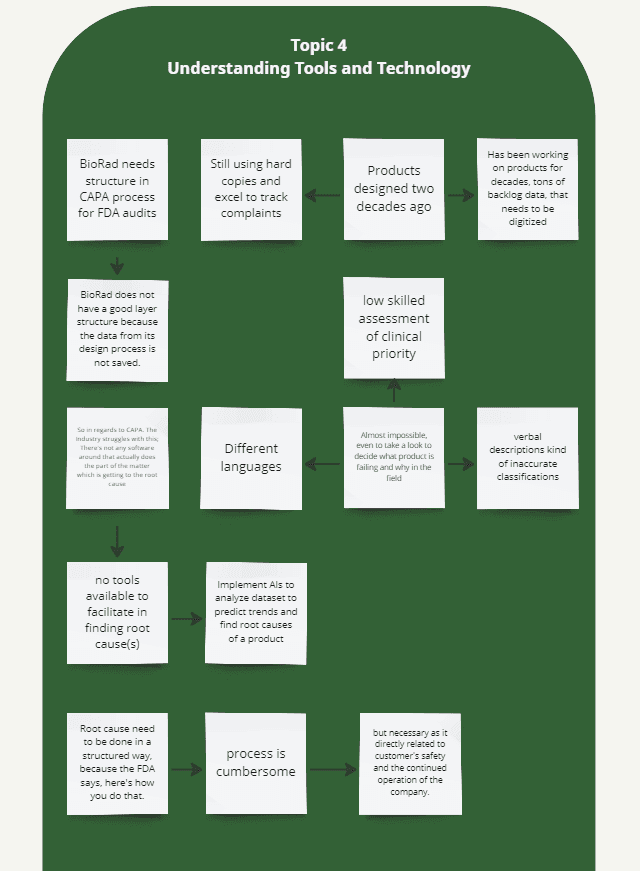
Through card sorting, we identified inefficiencies within the company, such as the use of hard copies, improper saving of legacy product data, and inadequate documentation of complaints.
Ideate
Week 1 - Review Client Documentation
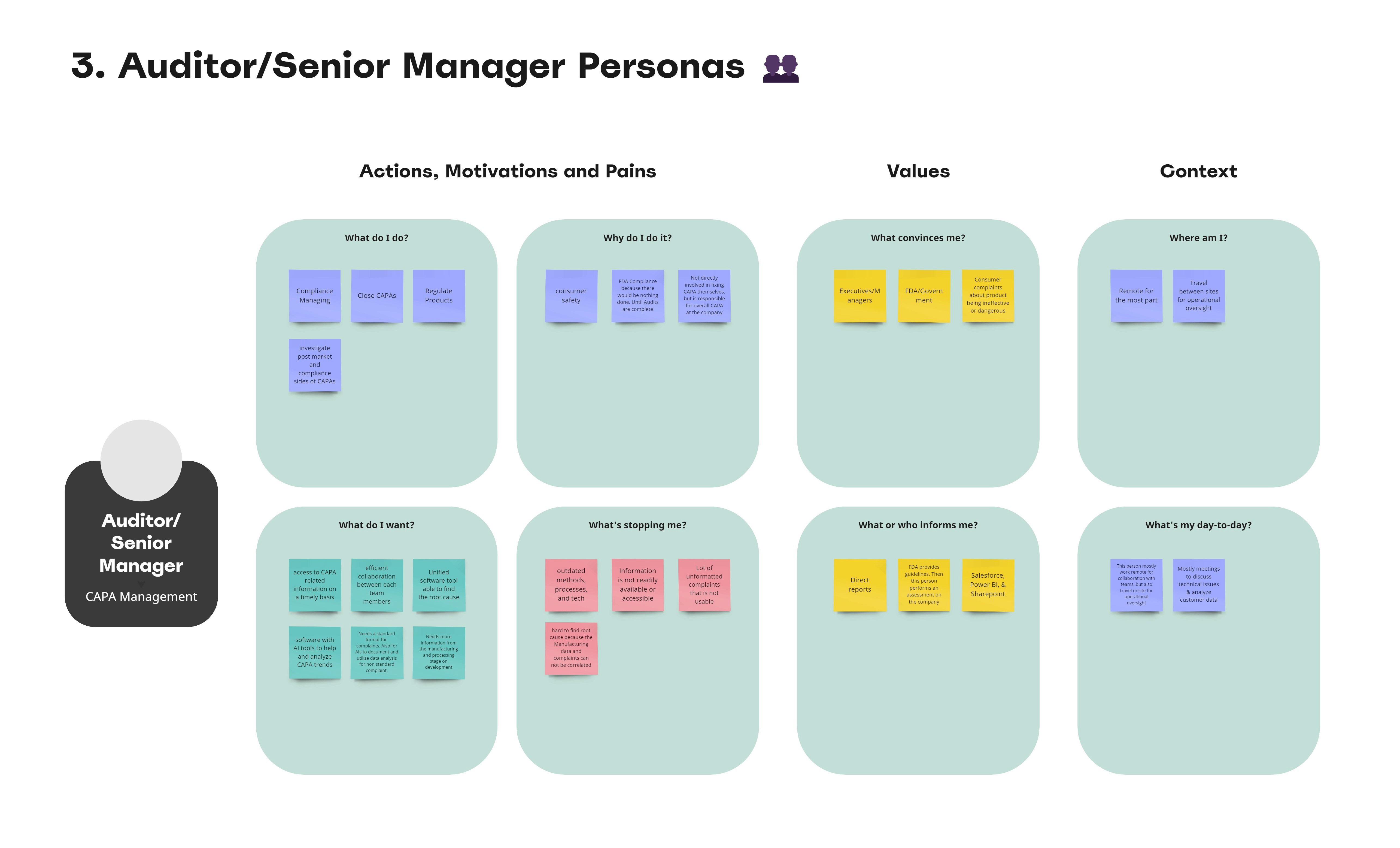
User Research (Personas)
We then took the interviews of the last two participants to create a personas for a 3rd party auditor. This exercise gave us a better understanding of a prospective user’s needs and expectations.
Ideate
Week 2
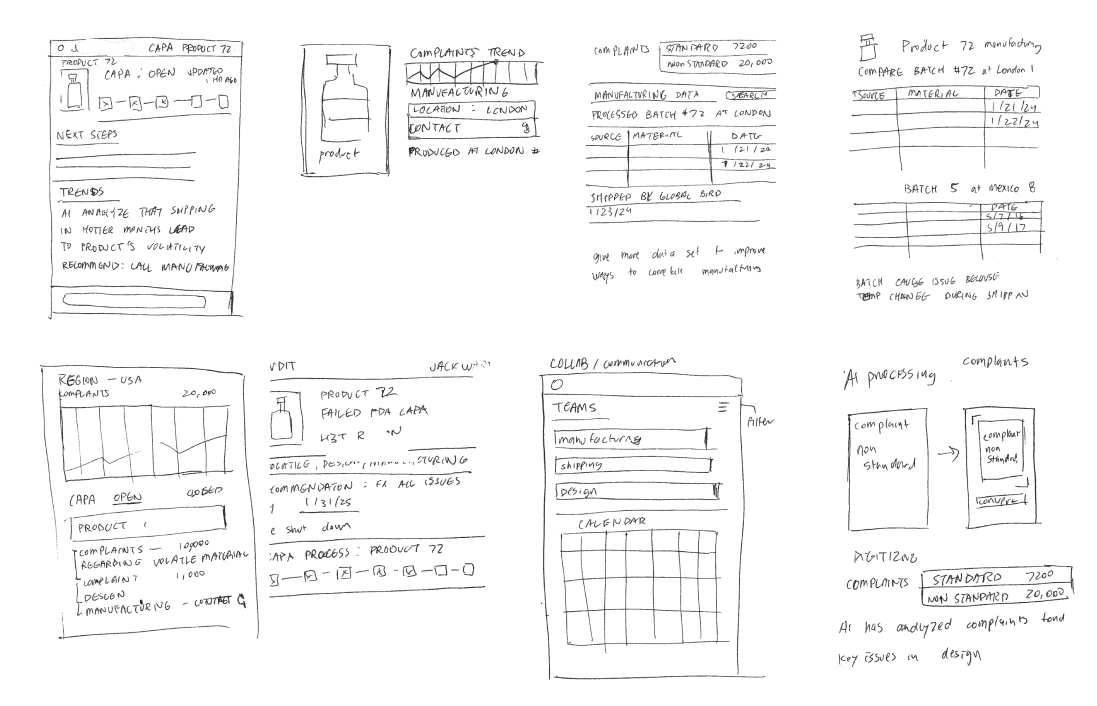
Crazy 8s
After gathering research data, our team engaged in an individual brainstorming session using "Crazy 8s". In my version of "Crazy 8s," my objective was to brainstorm all the possible components a dashboard would need. I aimed to highlight the insights from our research, emphasizing the importance of ensuring easy access to CAPA-related data, visualization and documentation of complaints, and the integration of AI to manage non-standard complaints.
Design
Week 3
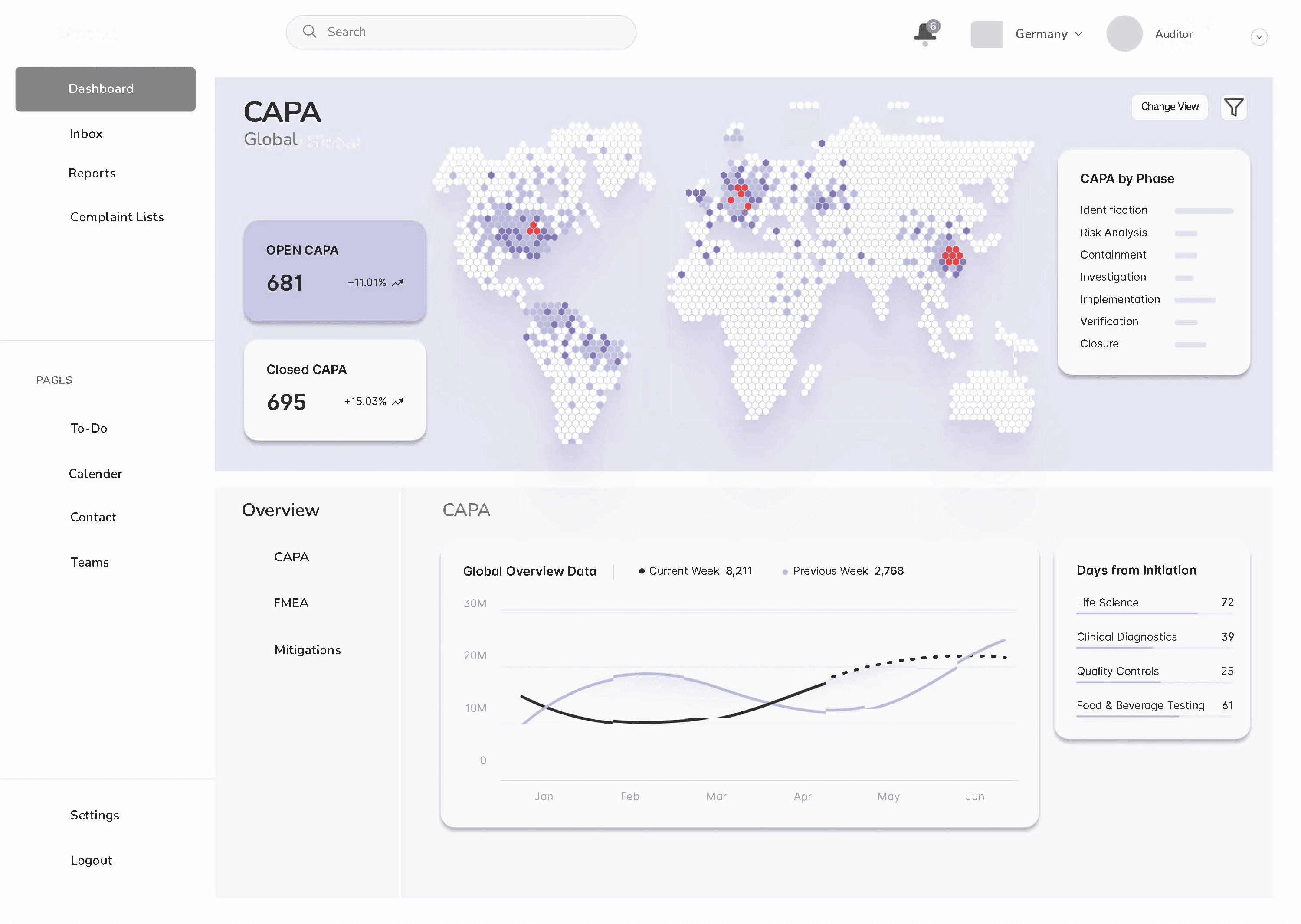
Dashboard for Executives (Solo)
After the Crazy 8s exercise, each of us worked on creating individual dashboards for third-party auditors. My objective in designing a dashboard was to develop a tool that enables users to swiftly visualize CAPA-related data, allowing for quick issue investigation and resolution.
Design
Week 3
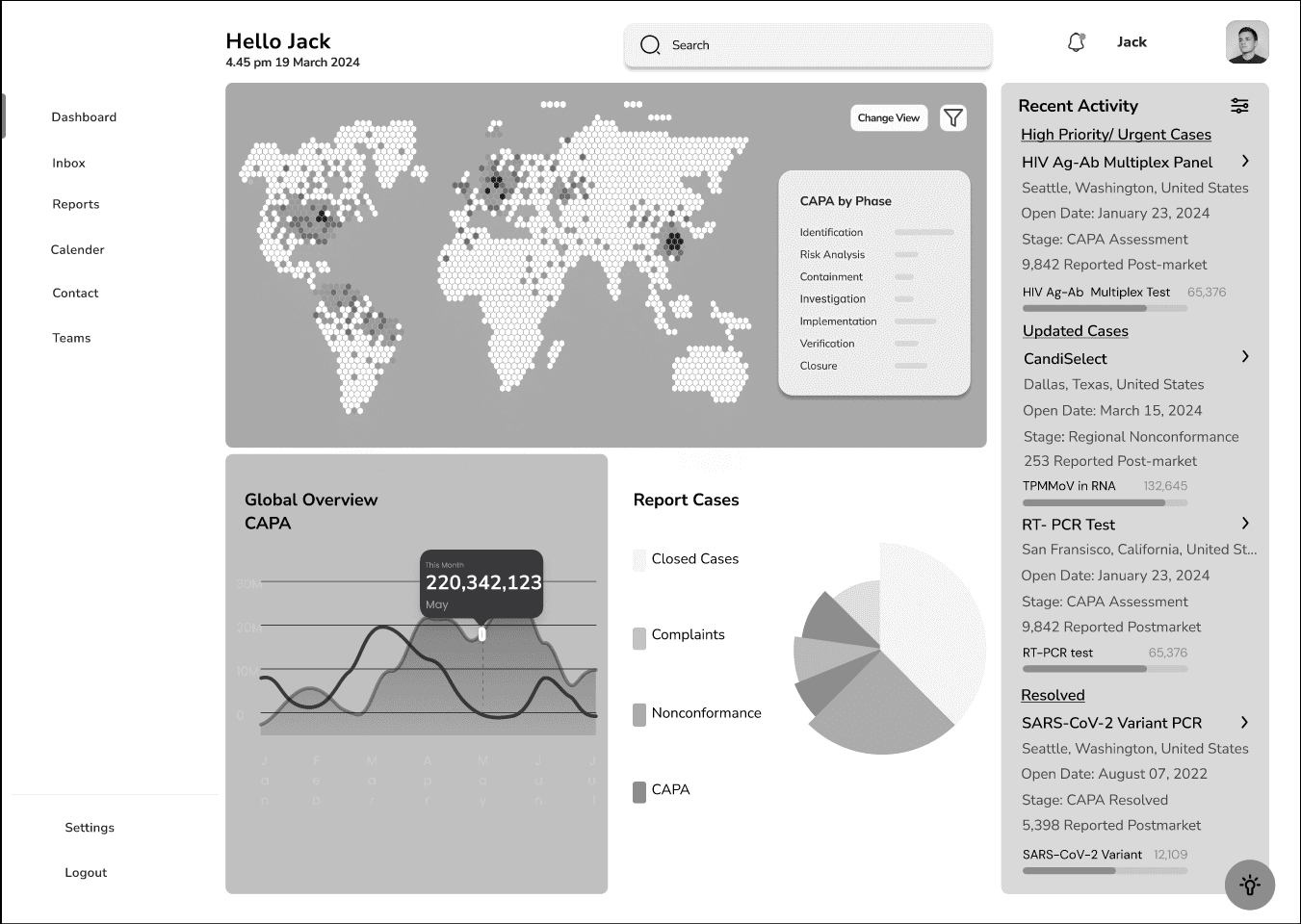
Dashboard for Executives (Team)
After creating three individual dashboards, we consolidate the best features and components into a final one. One key feature we emphasize is the Global View of CAPA, which provides a comprehensive understanding of the CAPA process on a global scale. We recognize the importance of showcasing recent activities in real-time on the side of the dashboard. This live format is essential, as one of the pain points highlighted during our research is the lack of readily available CAPA-related data, often requiring waiting for monthly reports. We illustrate the breakdown of different cases to provide context for CAPA-related issues. This breakdown allows users to gain a more informed understanding of the health of the company’s CAPA programs.
We received positive feedback on the dashboard, so the client requested another dashboard for line workers.
Ideate
Week 4 - 2 Screens
User Research: Scenarios
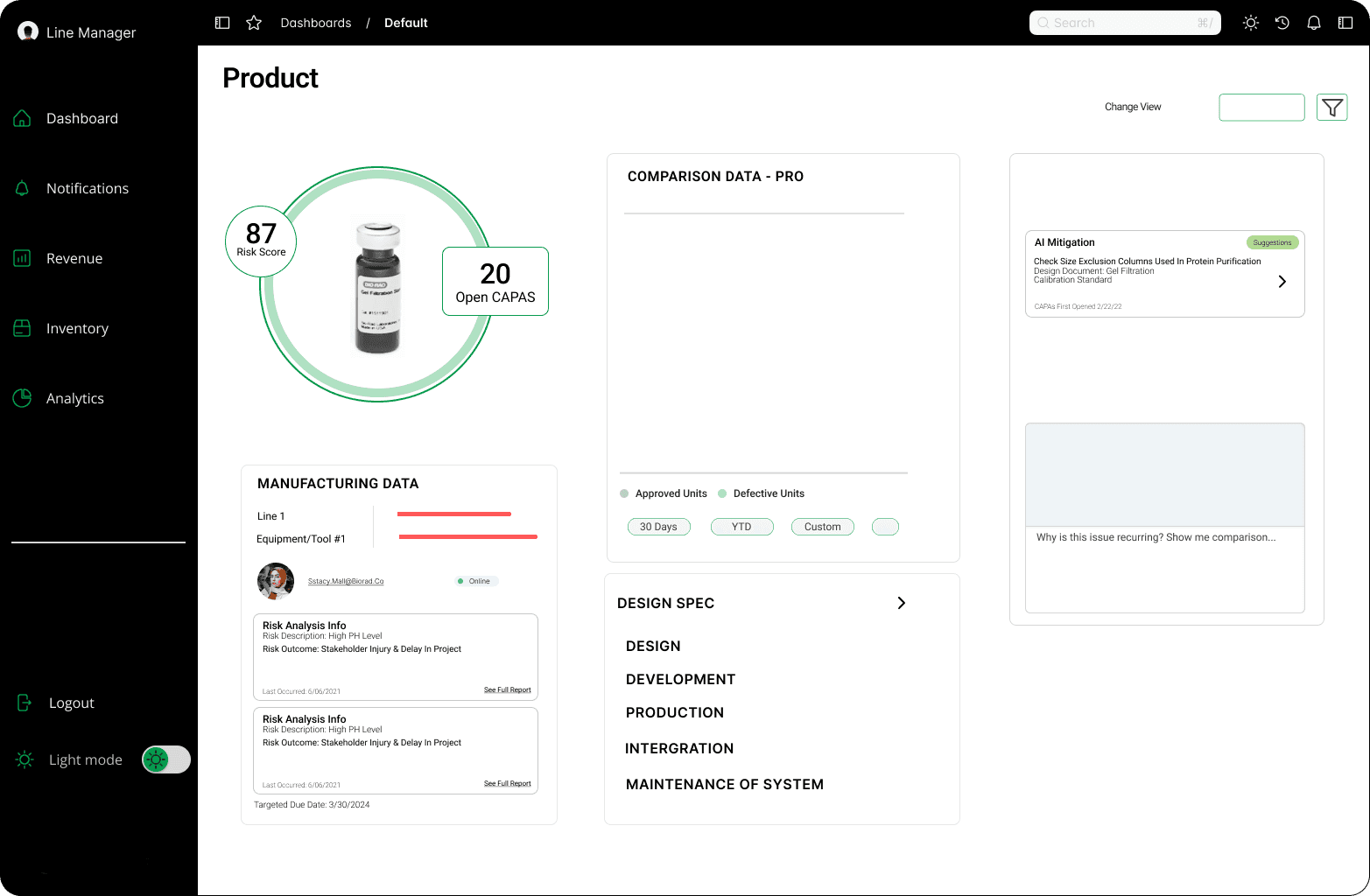
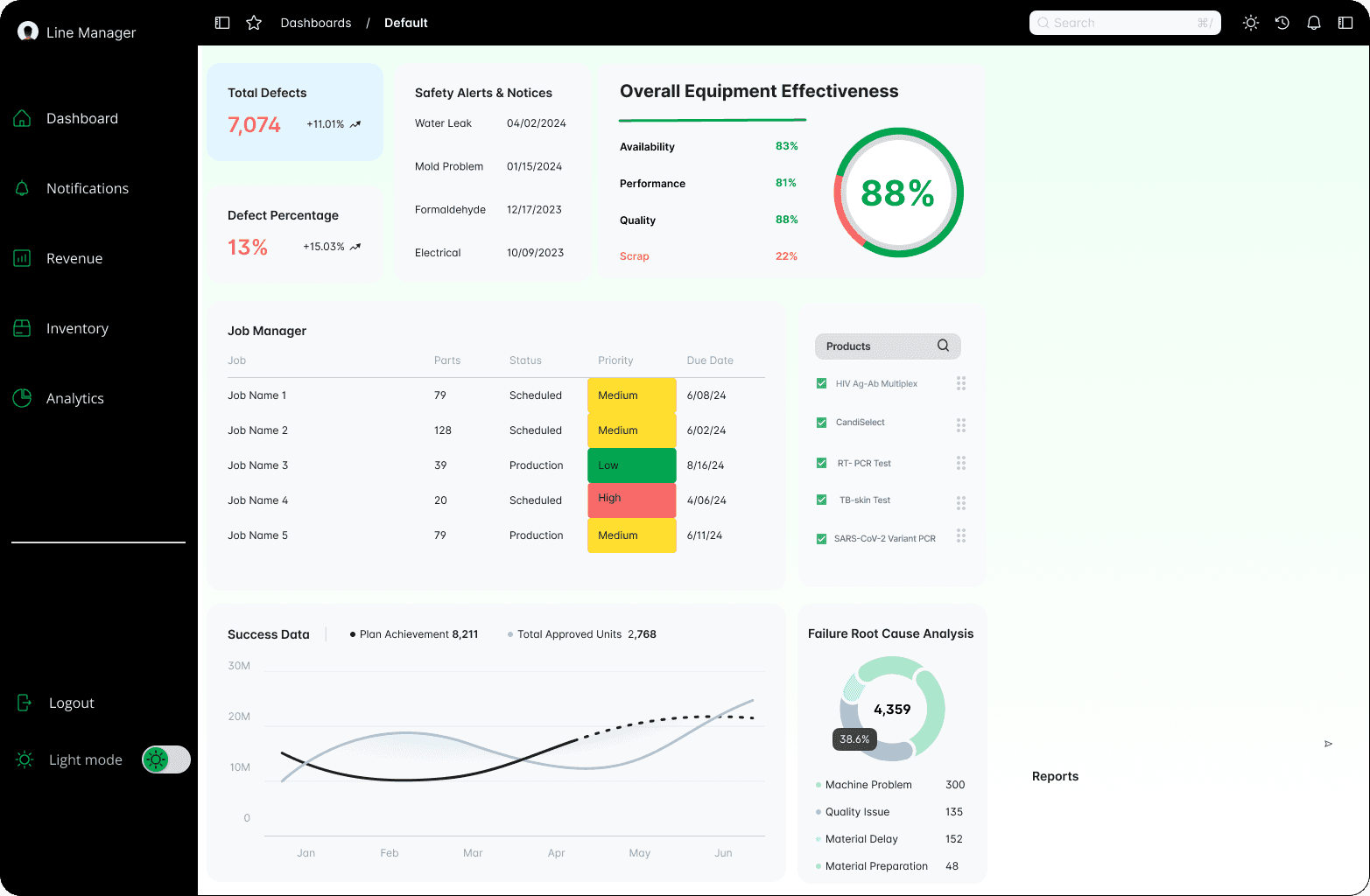
In the final week, we created two screens: one for the line worker and another for the product page. These two screens were used in scenarios during the interview process.
Since, we lacked an interview to rely on for the line worker, we researched the necessary data for a lineworker to have on a general dashboard. We determined on the main dash It's critical for them to have an overview of the manufacturing plant and its health. Therefore, we felt it was important to display overall defects, equipment effectiveness, components that visualize CAPA at different stages, and a component for searching products.
Ideate
Week 4 - 2 Screens
User Research: Scenarios
We knew more about setting up the product page than the main dashboard because we anticipated lineworkers would use it for CAPA (Corrective and Preventive Action) issues with a product. Based on our research, manufacturing data seemed crucial for identifying problems. Therefore, I added a "design spec" section detailing the manufacturing process to assist with this. We clarified who is responsible for CAPA to enhance teamwork and communication, since CAPA requires cooperation across different departments. Additionally, we introduced a feature to compare products, making it easier to identify and understand issues across different items.
Ideate
Week 4
User Research: Research Plan
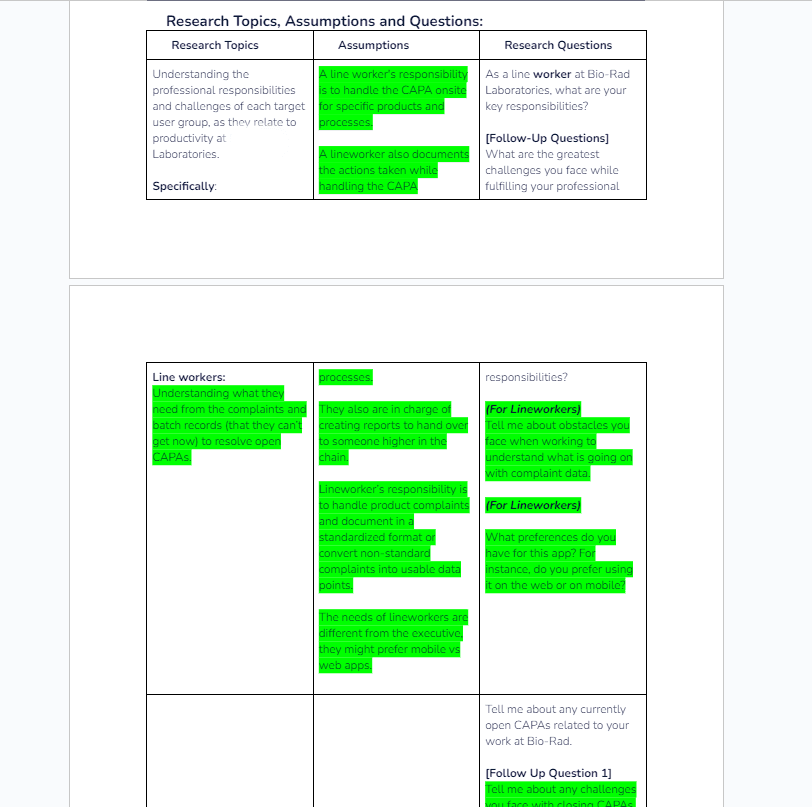
Once we created screens to use during the interview, we created a research plan and a script for a new participant during the last week.
Our research plan focused on the daily life of lineworker at the company, the CAPA process, tools, communication, and their needs from the app. We started with these topics, made assumptions, and developed questions to gain insights. and feedback. My responsibilities included creating questions about the CAPA process, managing complaints, and the integration of AI. I started this by making assumptions that guided my questions, particularly about the challenges in the CAPA process and the role of AI in documenting and formatting non-standard complaints.
Ideate
Week 4
User Research: Script
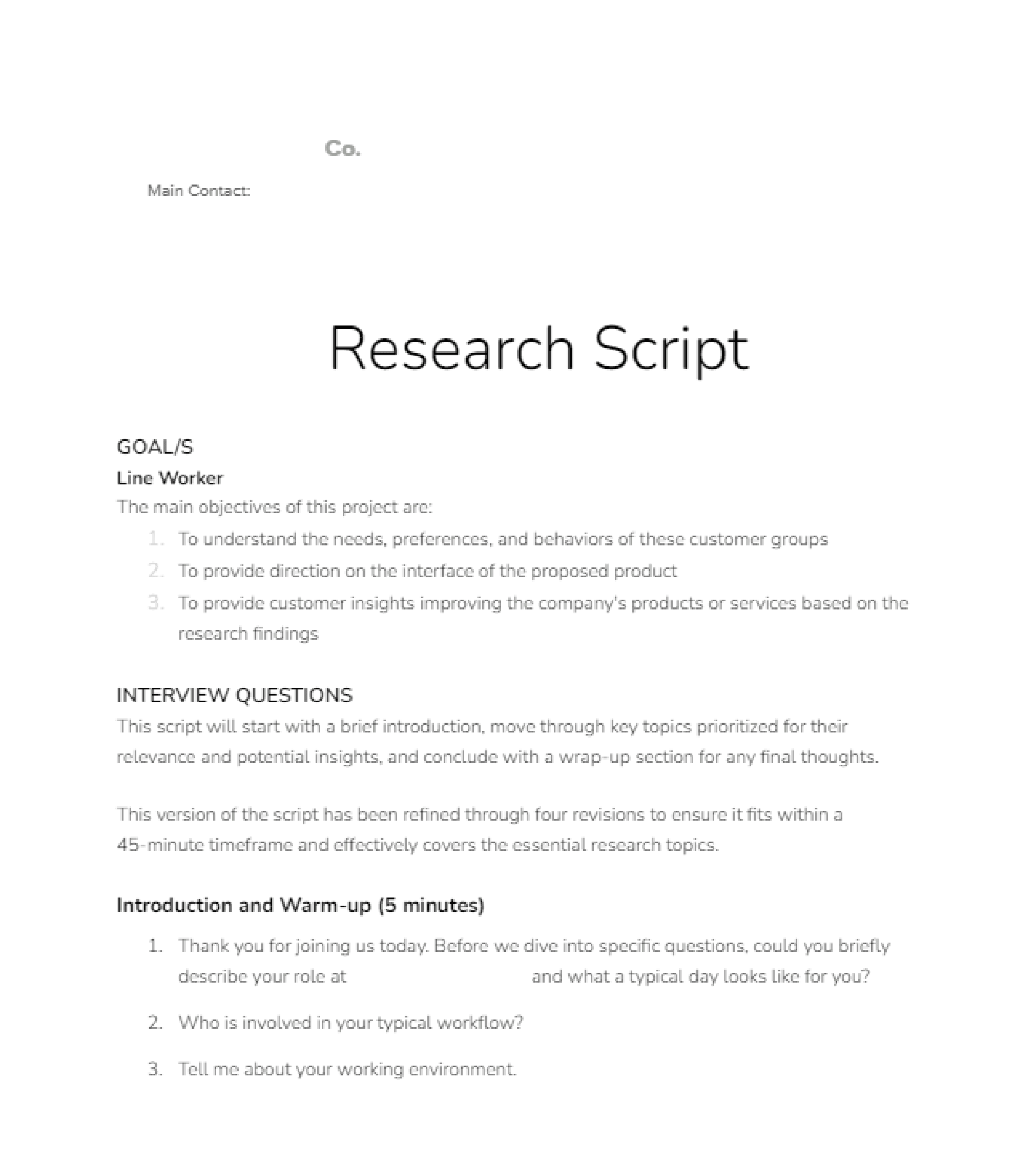
I organized the questions into a 30-minute script with screens to better understand the CAPA process, how AI could enhance the documentation and formatting of non-standard complaints, and some of the needs with tools.
Ideate
Week 4
User Research: Notetaking
Ideate
Week 4
User Research: Card Sorting
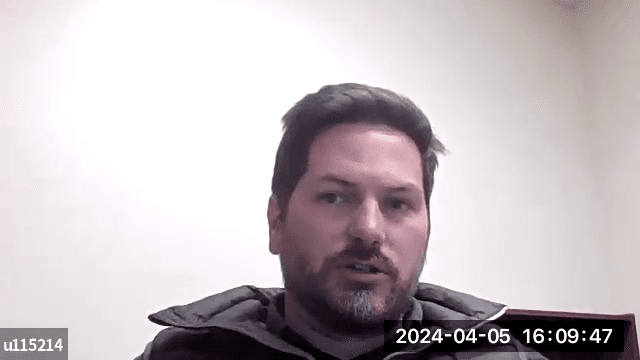
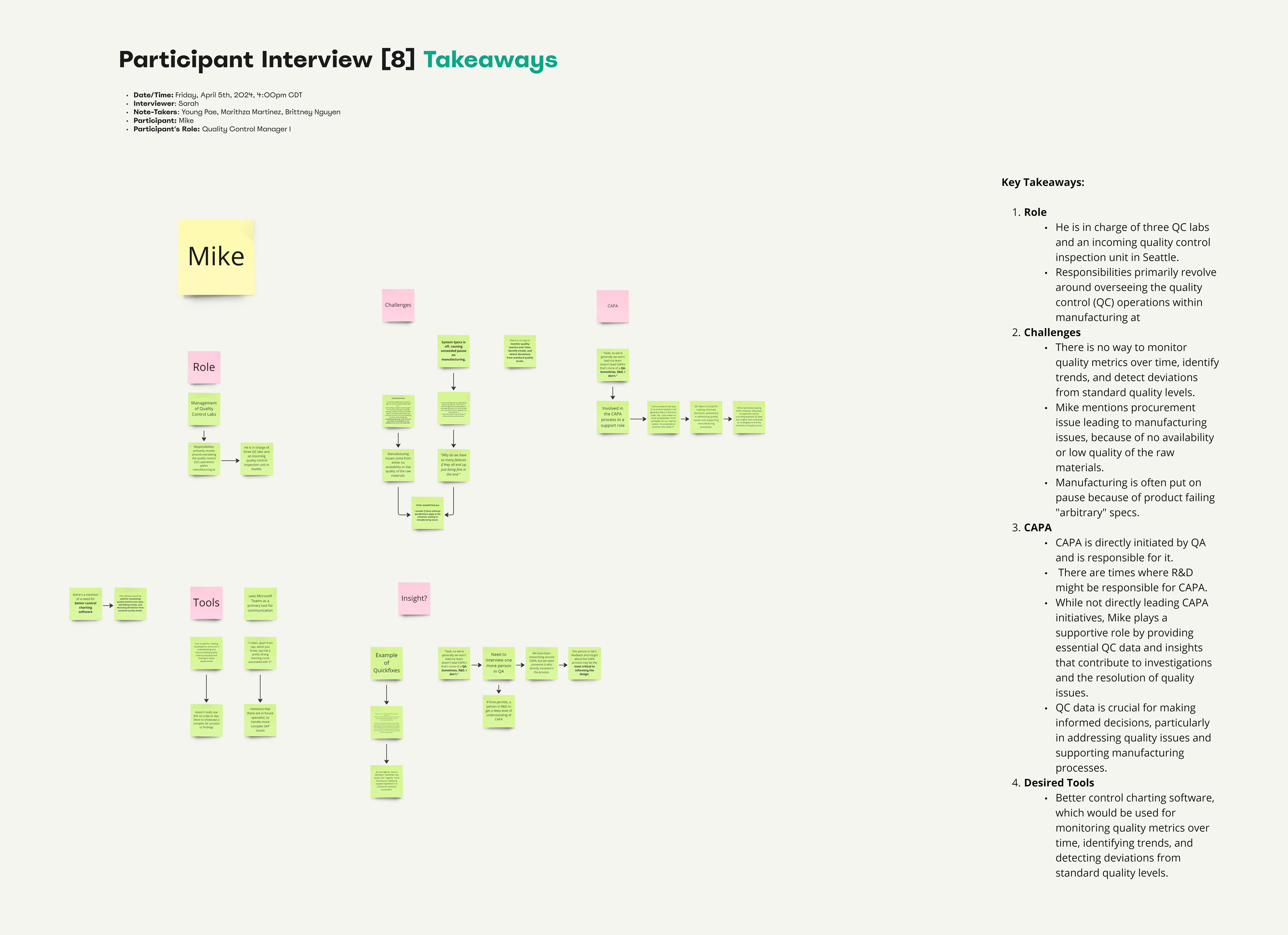
After the final interview session, I condensed the notes into themes like roles, challenges, CAPA, and desired tools to help the team easily understand the data and guide the design process. I believed it was crucial for a handoff, allowing the next team to focus on interviewing a QA person who is directly involved in the CAPA process, to further inform the UI design.